

Export and print your iPhone text messages
Save iMessage, SMS and WhatsApp chats as a PDF or spreadsheet, with every date, time and sender. Right on your iPhone. No computer or cables. For court, custody, disputes or your own records.
The iPhone app is coming soon. Have a WhatsApp chat? Turn it into a PDF free, today.
How it works
Pick a conversation. Text Exporter does the rest.
Pick a conversation
Choose any chat from Messages or WhatsApp, right on your iPhone.

Check every message
Every message is shown with its date, time and sender, in order.
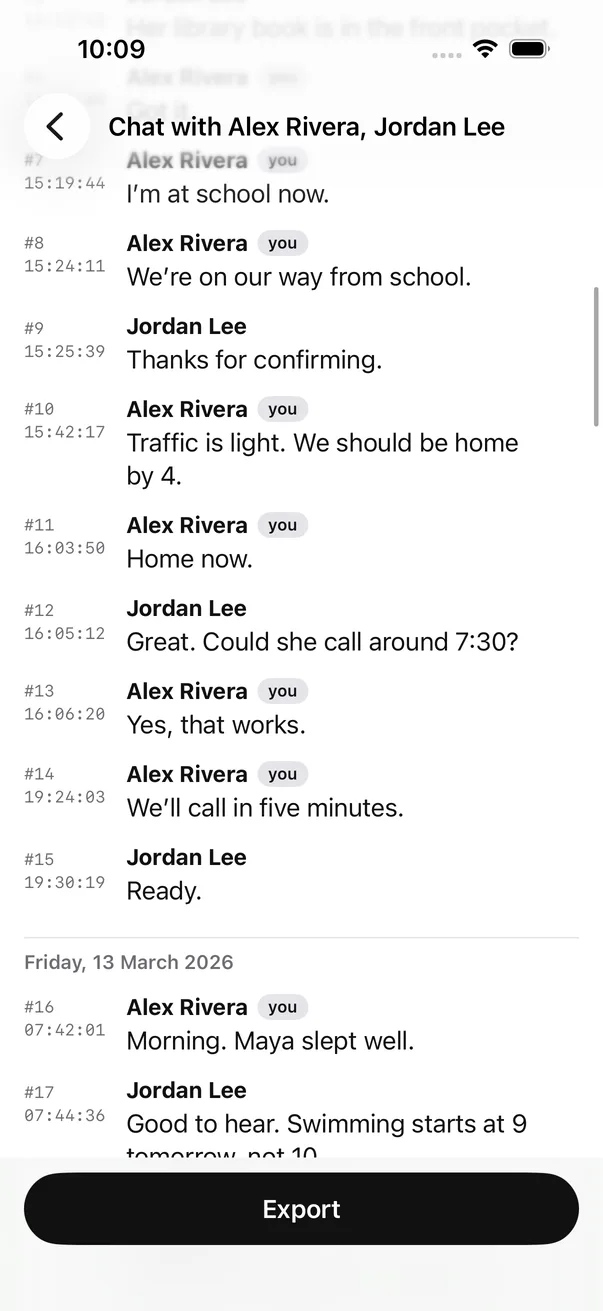
Export as PDF or spreadsheet
Print it, email it, or save it. CSV and plain text are included too.
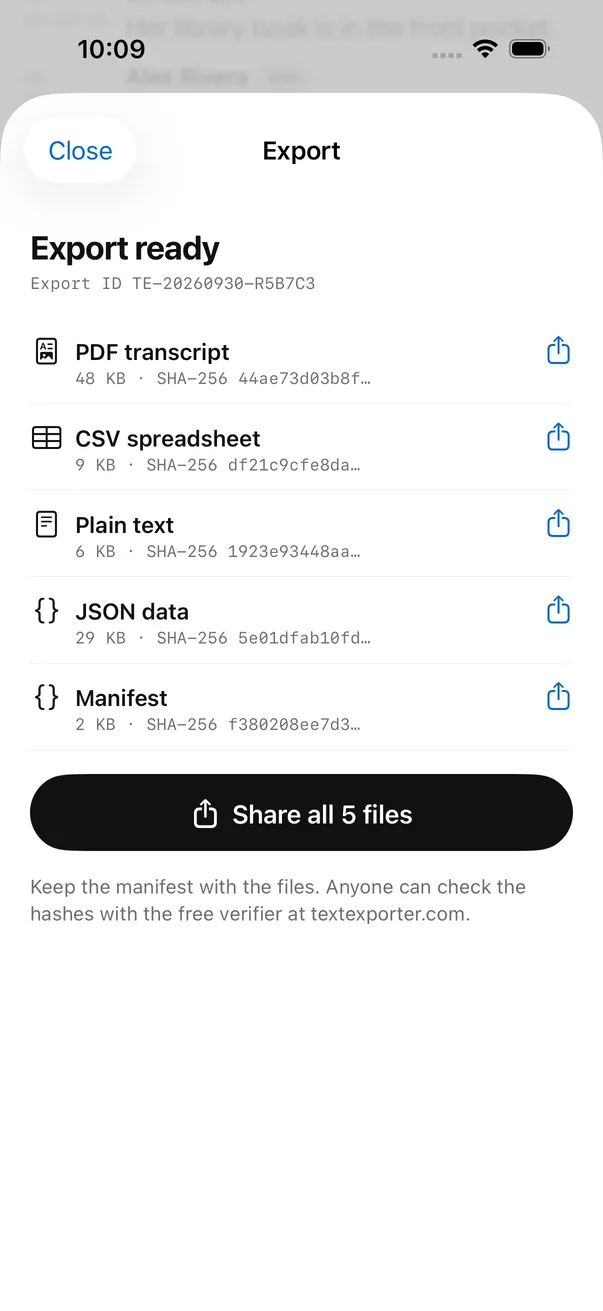
Everything you need
Your messages, organized and ready to print, send or keep.
Works with the apps you use
Messages and WhatsApp in the app. Telegram, Instagram and Messenger with our free web tools. Anything else, like Signal, from screenshots.
PDF, CSV or plain text
A PDF for printing, a spreadsheet for sorting, or plain text for anything else.
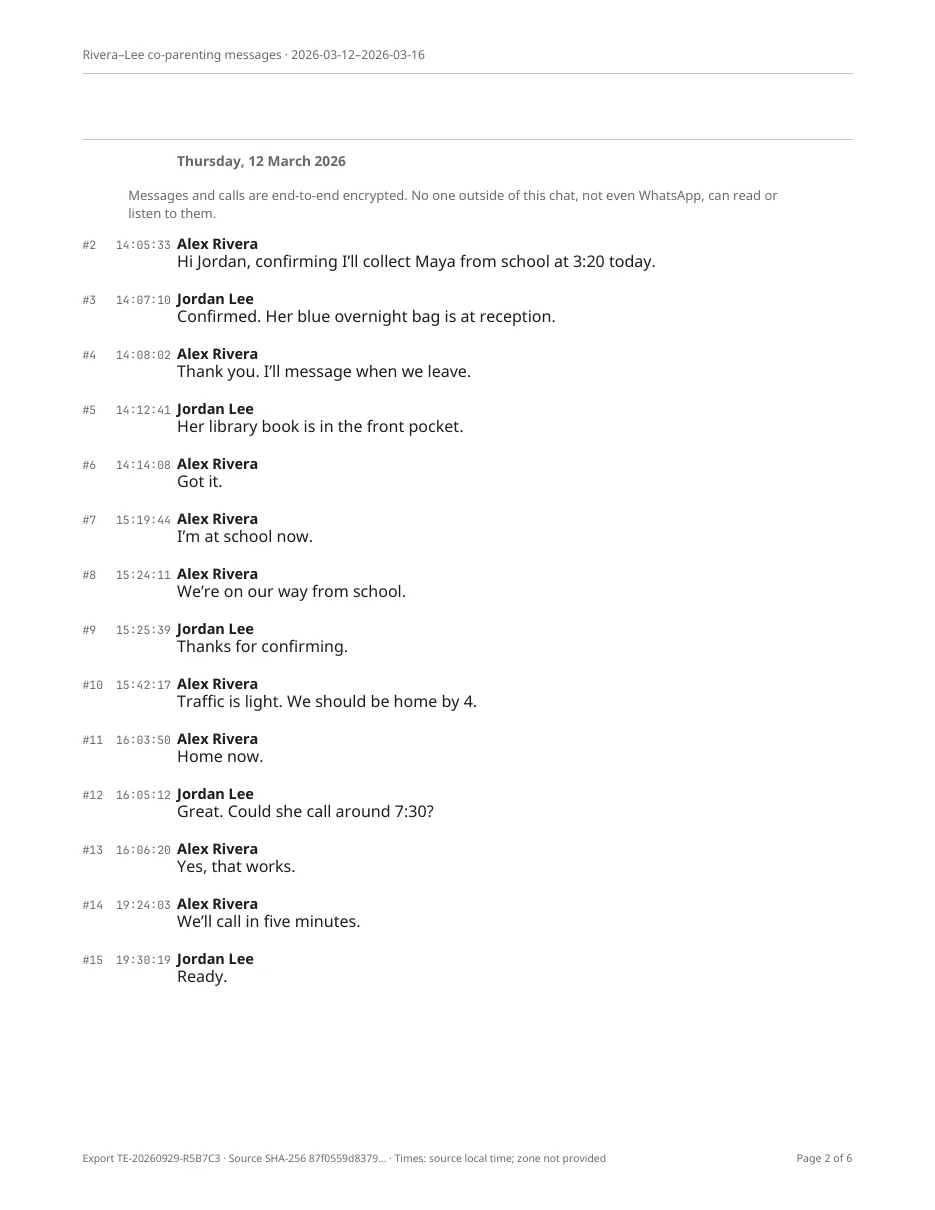 Dates and timesSender namesMessage order
Clear records for court, lawyers and HR
Every message with its sender, date and time, in order, with page numbers.
No computer needed
No cables, no desktop software. Export right from your iPhone, wherever you are.
Stays on your iPhone
Your messages never leave your phone. We can’t see them, and nobody else can either.
A PDF anyone can read
A cover page with who, when and how many messages. Then every message with its date, time and sender. Page numbers on every page, so anyone can find what you’re talking about.
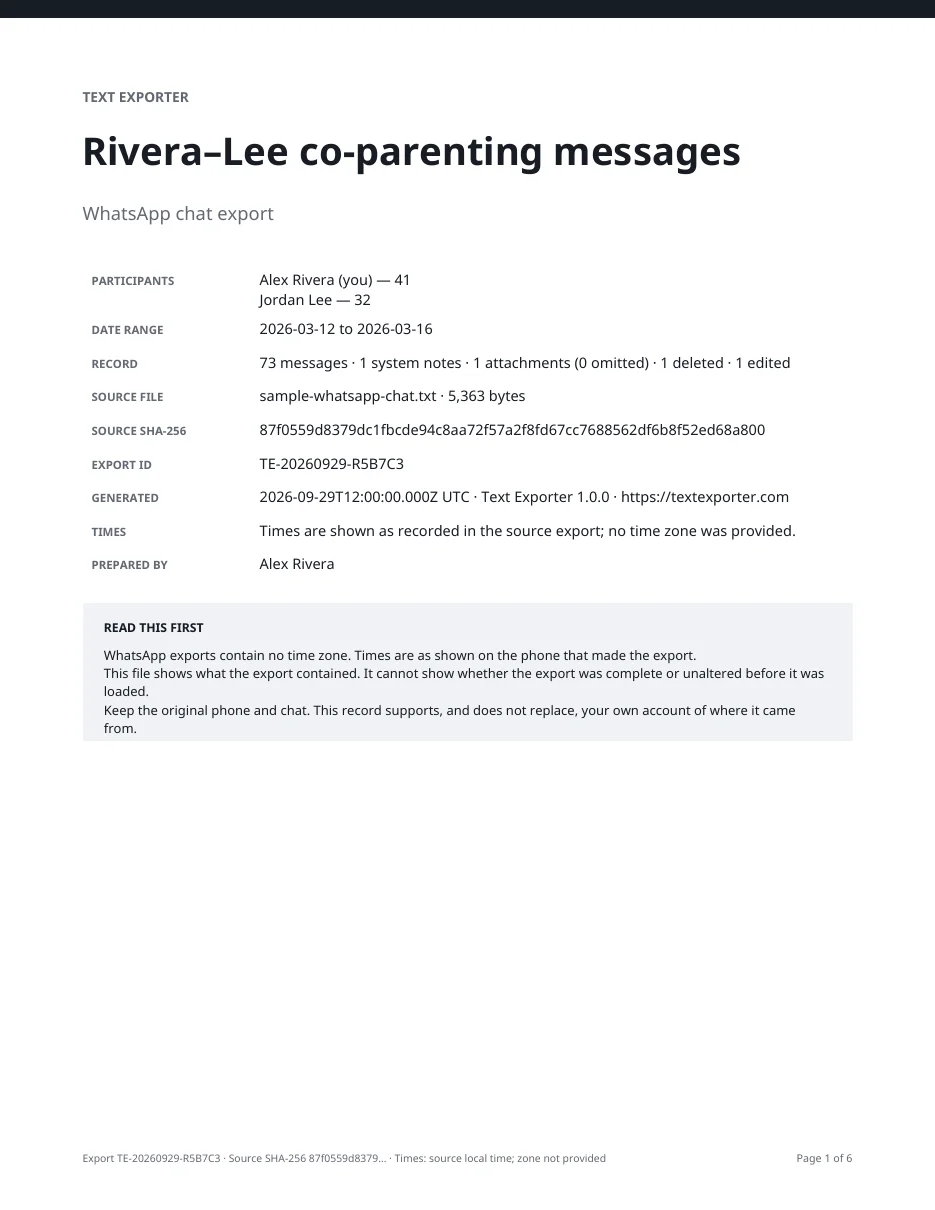
For when it matters
Simple guides on what to keep and how to show it.
Custody and divorce
Pickup times, changed plans, what was agreed.
Read the guide →Landlord and repairs
Show when you reported it, and how often.
Read the guide →Work and HR
Messages from a manager or coworker, in order.
Read the guide →Harassment
Keep a clear record of every message.
Read the guide →Immigration
Show a relationship over months or years.
Read the guide →Keeping memories
Save a loved one’s messages before they’re lost.
Read the guide →Frequently asked questions
How do I export text messages from my iPhone?
In Text Exporter, pick the conversation and the dates you need, then export it as a PDF, CSV or text file. It all happens on your iPhone. You don’t need a computer.
Can I print text messages for court?
Yes. The PDF is made for printing, with every date, time and sender and page numbers. The court decides what it accepts, so keep your phone and the original chat too.
Does it work with iMessage and SMS?
Yes. Text Exporter uses an Apple Shortcut, available on iOS 26, to read the chat you choose. You set it up once, in the app.
Do you see my messages?
No. Everything happens on your iPhone. Your messages are never uploaded to us or anyone else.
Can it get back deleted messages?
No. It exports what is still on your phone. Deleted messages are marked as deleted when the chat records them.
How much does it cost?
Importing and previewing are free. Exporting is one payment. No subscription.
What if I don’t have an iPhone?
You can turn a WhatsApp, Telegram, Instagram or Messenger export into a PDF free in your browser.